Router
ICL-1
Data sources
KB / Feed / Tool
Tool policy
Read-only
Browser SDK
-> Public key + origin validation
-> Embed session
-> Domain context and allowed capabilities
-> ICL-1 capability routing
-> Knowledge retrieval | Product feed search | Read-only live tool | Escalation
-> Prompt/context assembly
-> Response generation
-> Conversation, capability, and outcome analytics
Problem
A generic chat model is not enough for an embedded business assistant. The assistant must know what it can do for that exact customer site, which domains are authorized, which knowledge sources are approved, whether product data exists, whether live tools are enabled, and when a person should take over.Architecture Upgrade
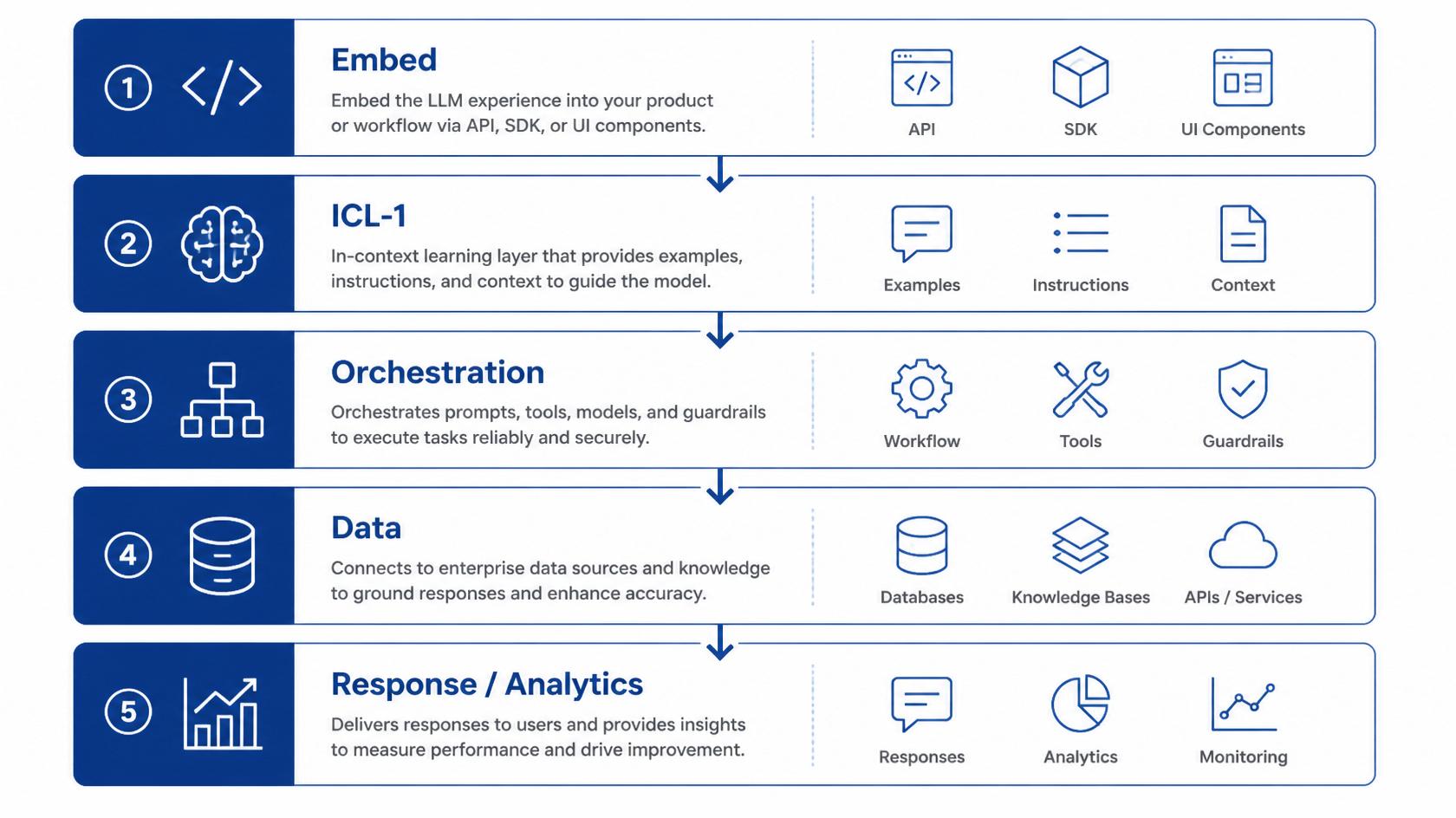
The upgraded embed architecture has five public layers: - Embed layer: loads the site configuration, public key, authorized domain, site description, AI purpose, and allowed capabilities. - ICL-1 layer: maps each visitor message to stable capability types before response generation. - Orchestration layer: selects customer-specific capability instances based on the app, domain, and enabled resources. - Data layer: retrieves from knowledge chunks, searches product feeds, or calls approved read-only live tools. - Response and analytics layer: generates the user-facing answer, logs activated capabilities, tracks confidence class, records escalations, and feeds dashboard reporting.Capability Routing
The important design choice is the separation between Layer A and Layer B. Layer A is universal: KNOWLEDGE, COMMERCE, ACTION, ESCALATION, CLARIFICATION, and GENERAL_CHAT. Layer B is customer-specific: one site return policy, another site product feed, a logistics tracking endpoint, a SaaS plan list, or a human handoff route. This lets Atina scale across verticals without training a new model for every customer.RAG Sources
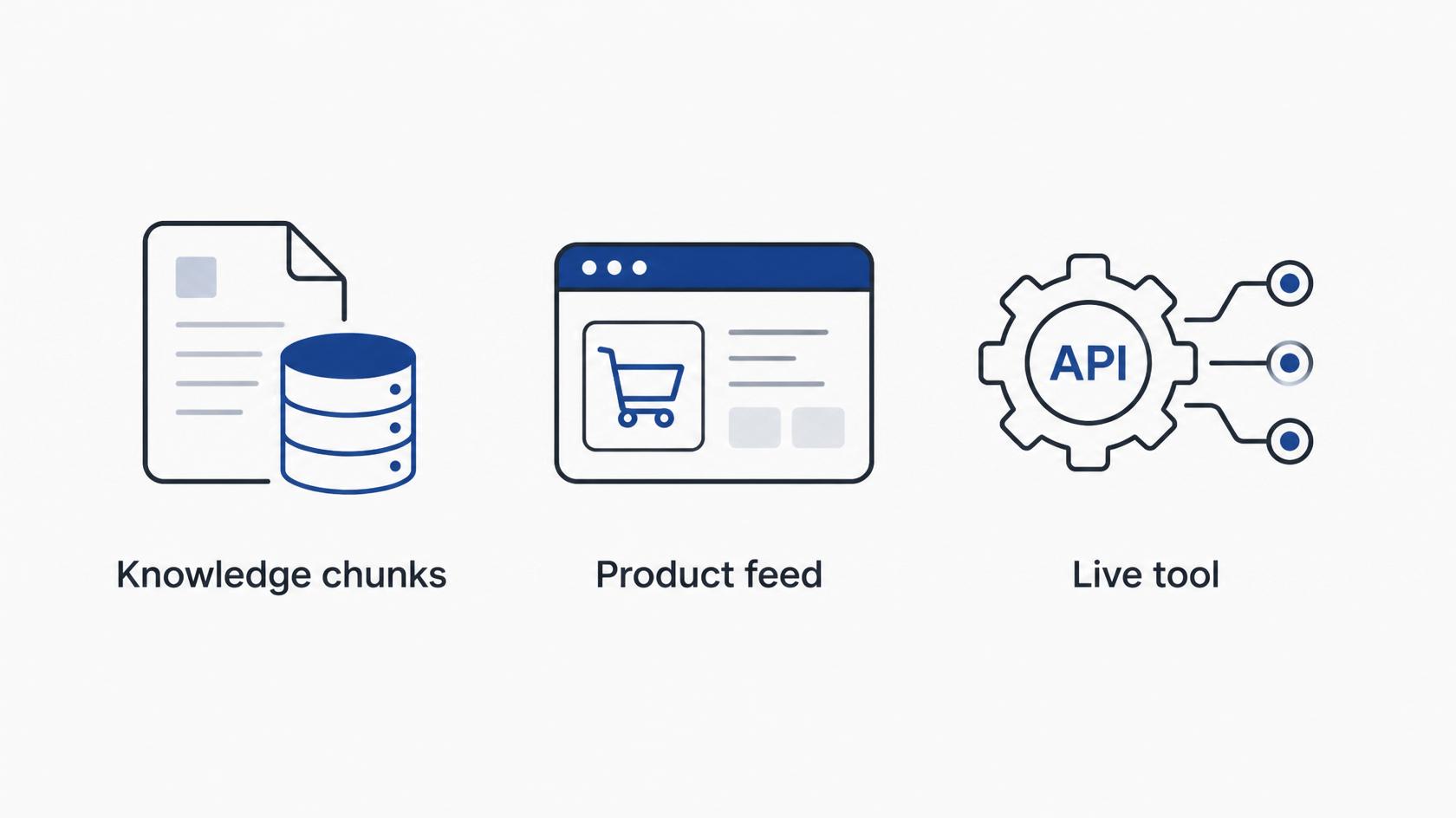
Knowledge retrieval is used for policies, FAQs, documentation, support notes, and service details. Product feeds are used for searchable public catalogs, SaaS plans, packages, pricing, availability, and direct links. Live tools are reserved for data that changes per visitor or should not be stored as static knowledge, such as order status, appointment confirmation, shipment lookup, or account state. Escalation remains available when the user asks for a human or the situation requires human judgment.Multi-Intent Behavior
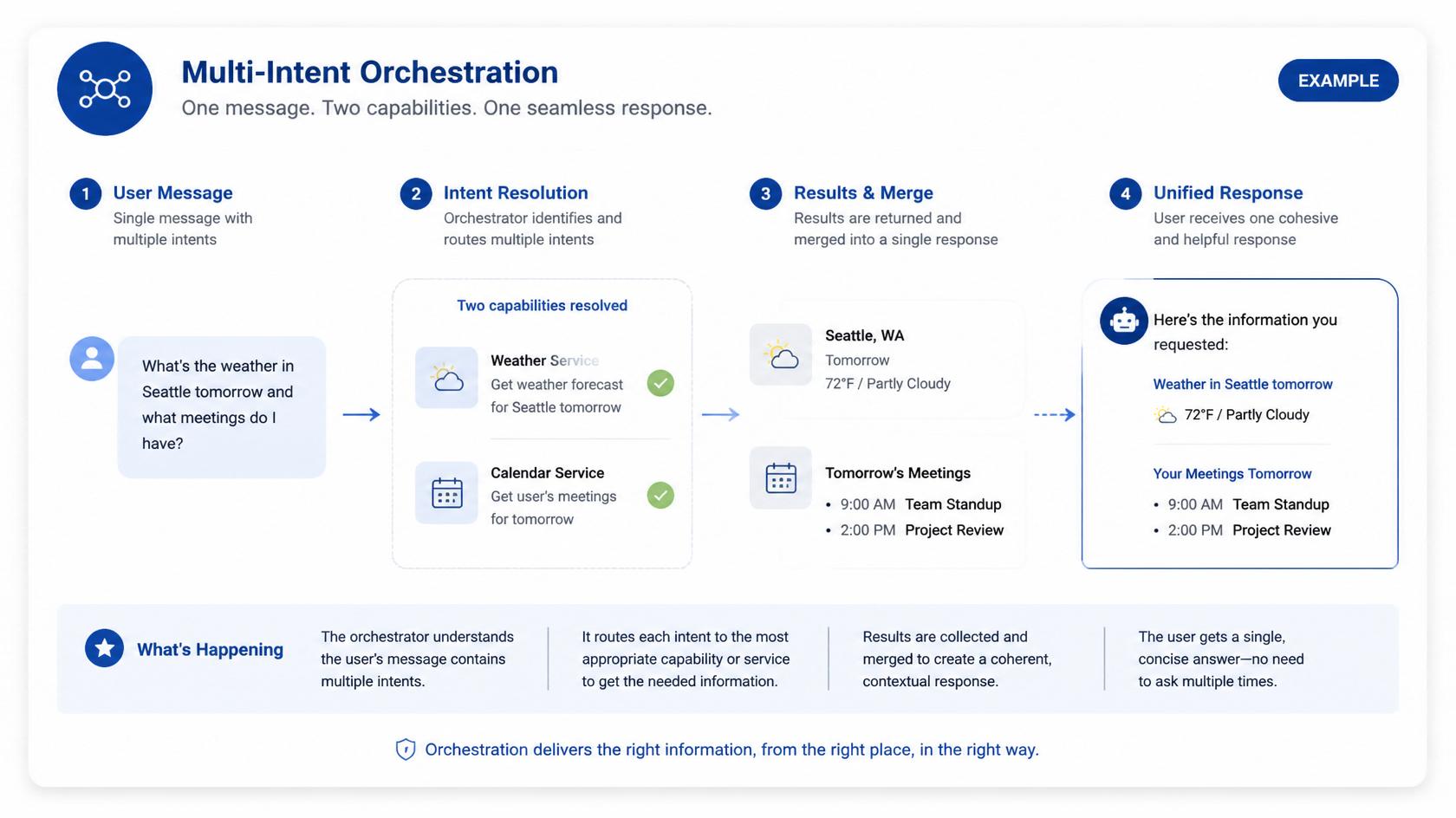
When a message activates more than one capability, Atina can resolve the higher-priority evidence first and merge the result into a single response. For example, a visitor can ask about return policy and product availability in one sentence. Atina can retrieve policy knowledge and product context before generating the answer.Security Posture
The public SDK never exposes private AI service keys. Embed requests use a public key, origin validation, session token creation, and server-side capability execution. Customer live tools should be HTTPS and read-only. Sensitive write actions should remain outside the current embed tool contract unless a future product release explicitly supports them with stronger authorization.Developer Reference
Developers implementing the architecture should start with Atina Embed SDK documentation, then configure the app from Chat > Embed SDK.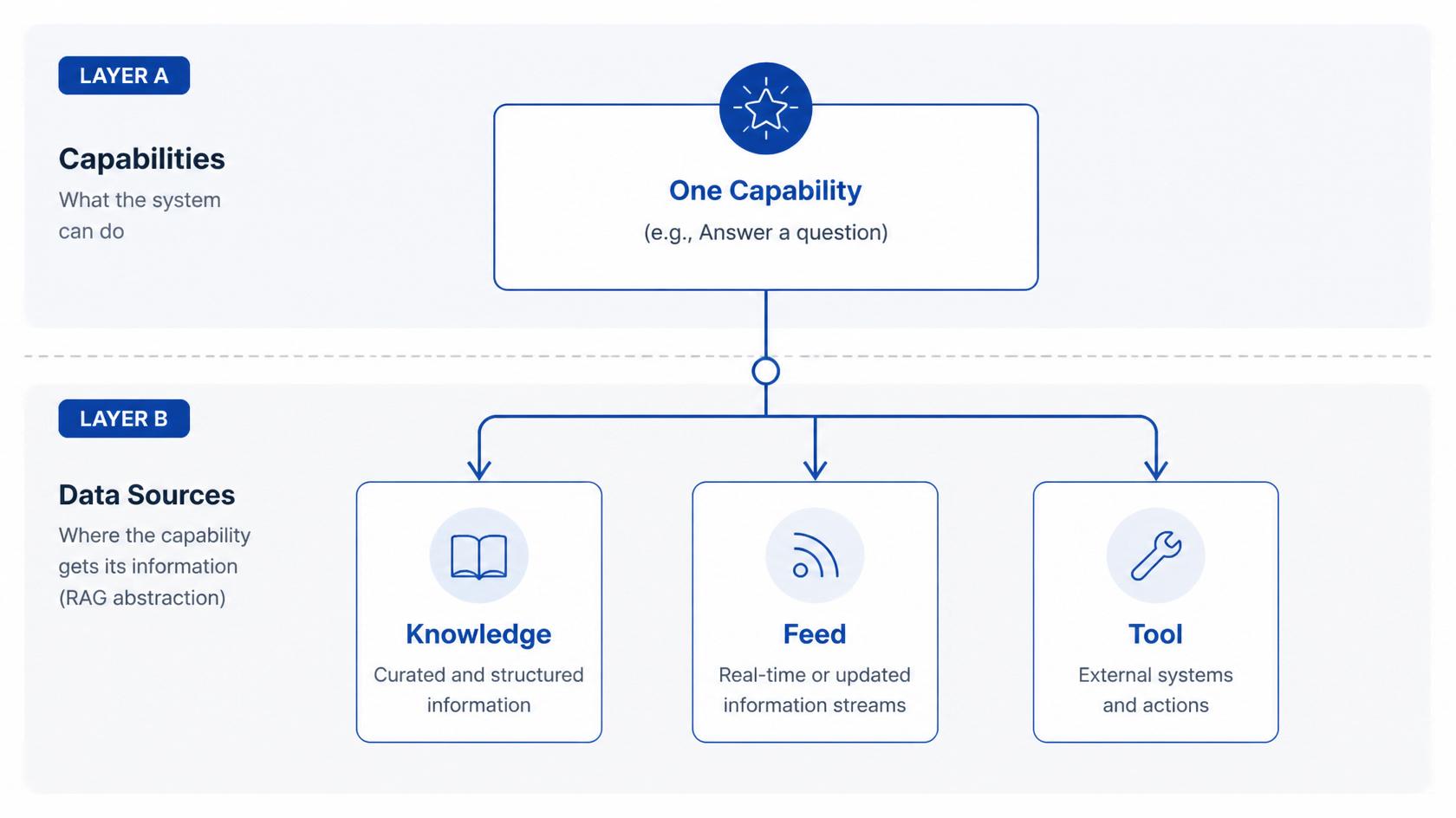
Related
Continue exploring.
Release note: Embedding, Organization AI, and ICL-1
The July 2026 Atina Labs content refresh documents embed setup, organization training, ICL-1 routing, embedded RAG architecture, infrastructure capacity, and a latency-based speech decision.
Embedding Atina on third-party sites
A practical guide to launching Atina Embed: choose the right plan, create an embed app, authorize domains, configure capabilities, copy the SDK snippet, and test before production.
ICL-1: Intelligent capability routing for embedded Atina agents
ICL-1 is Atina's first capability router for embedded agents: a lightweight MiniLM-based classifier that decides which customer capability should be activated before the main response is generated.