Access
Dev / Org
Setup surface
/chat
Docs
/docs/atina-embed
Site owner
-> /chat -> user menu -> Embed SDK
-> Create Embed App and copy public key
-> Add Authorized Domain
-> Add Knowledge | Product Feed | Live Tool | Escalation
-> Install SDK from /docs/atina-embed
-> Test on authorized website
-> Publish embedded Atina
Start Here
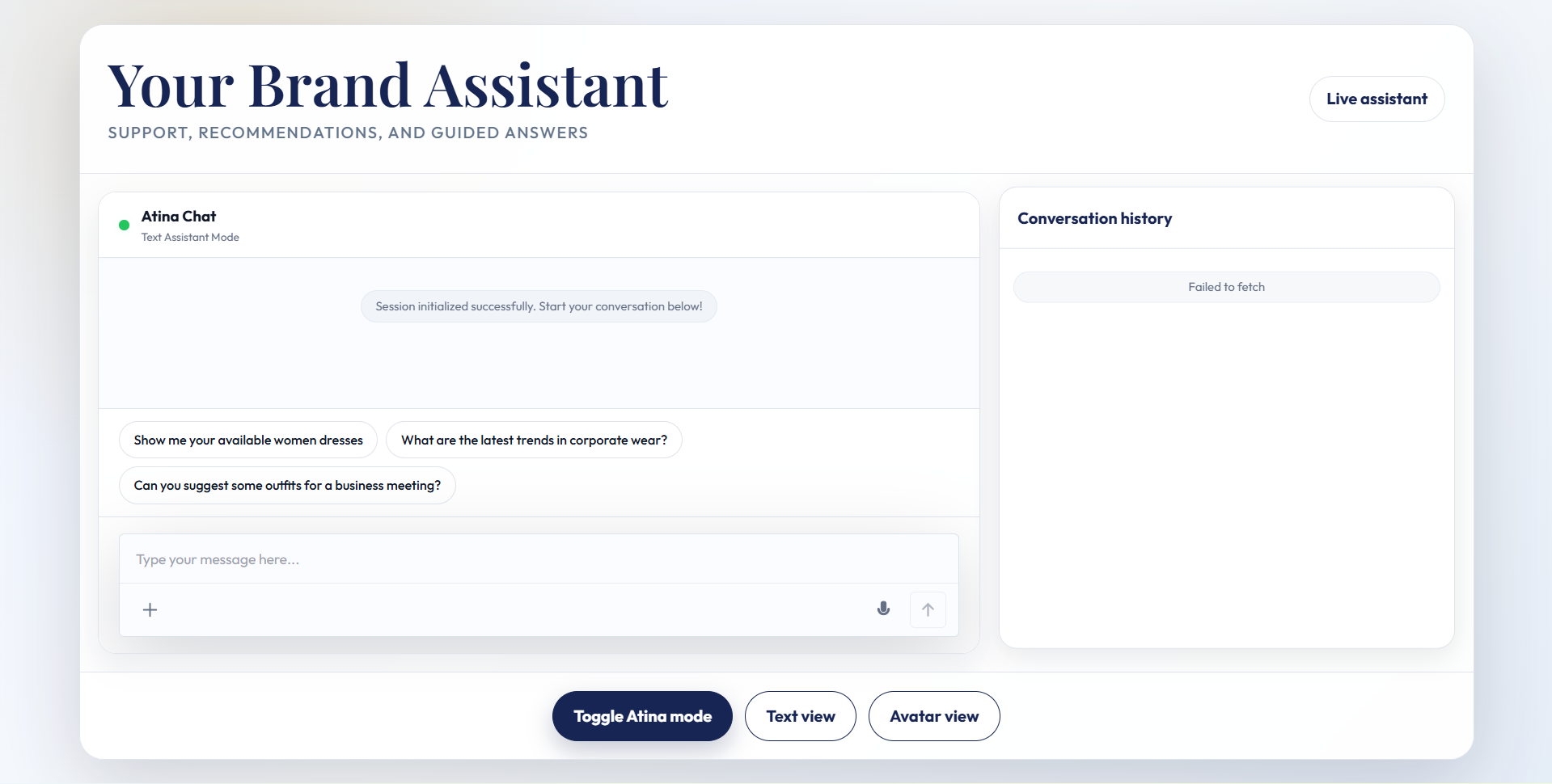
Atina Embed lets a business place Atina directly inside its own website, product, LMS, help center, ecommerce store, or customer portal. The public SDK uses a browser-safe public key and validates the website origin against the domains configured in Atina. Private AI behavior remains behind Atina gateway. Use the full SDK reference at Atina Embed SDK documentation.Plan Requirement
Embed access requires a plan with embeddable AI widget access. On the current platform, the Dev plan is the builder plan for single-user embed deployments, while the Org plan supports organization-ready deployments with higher embed domain capacity and organization training features. Compare current limits on Pricing.Step 1: Open The Embed SDK Tab
Sign in and open Chat. In the left sidebar, open the user menu at the bottom of the chat layout. If your plan can embed, click Embed SDK. The same dashboard modal also has a sidebar item named Embed SDK. If you do not see Embed SDK, your current plan does not include embed access. Open Pricing and choose a plan with embeddable AI widget access.Step 2: Create Embed Access
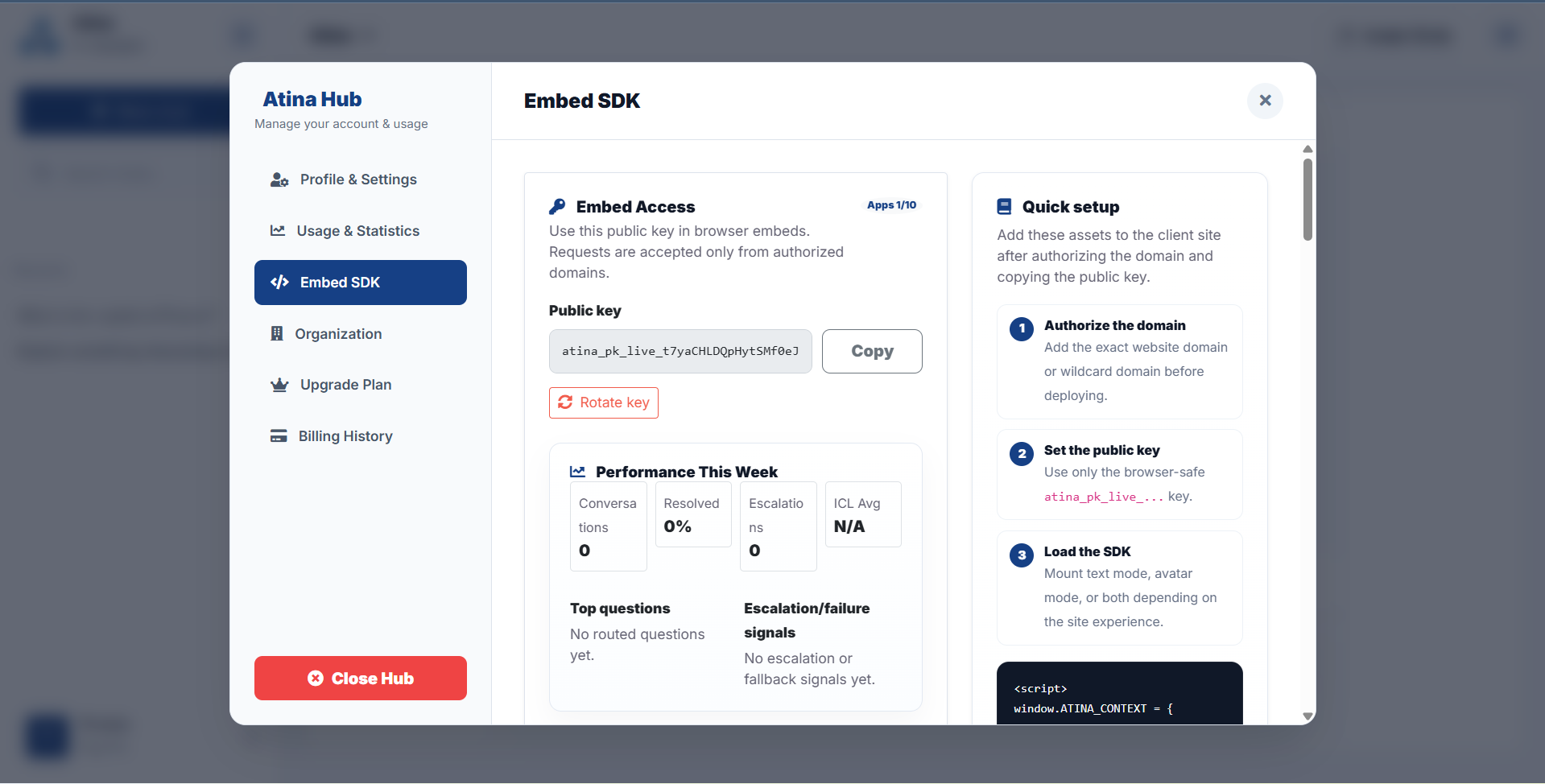
Inside the Embed SDK tab, find the Embed Access card. If no app exists yet, click Create Embed App. Atina creates an embed app and a browser-safe live public key. Copy this public key into the client website snippet. Rotate the key only when you are ready to update every installed embed using the old key.Step 3: Authorize Your Domain
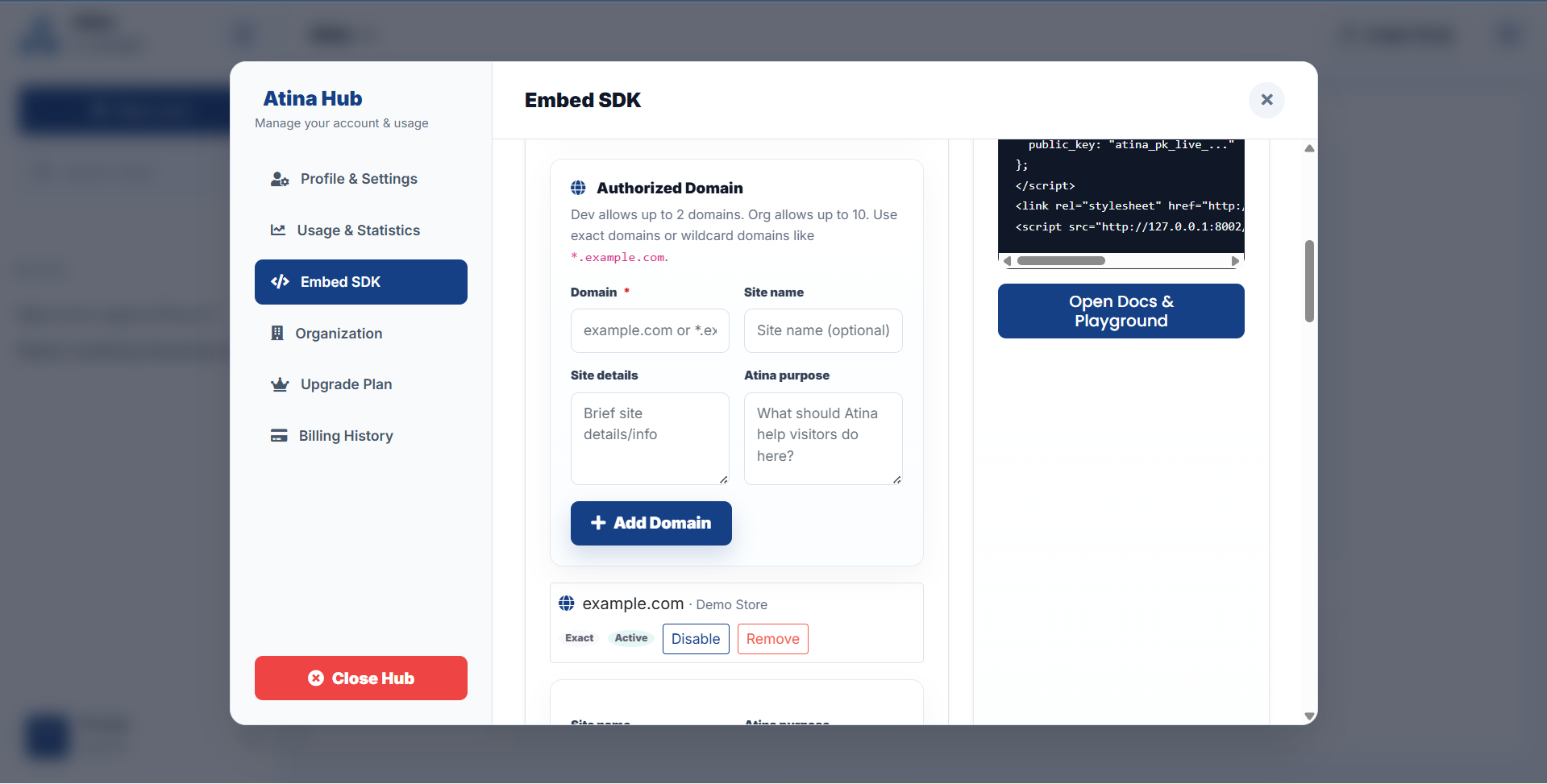
In the Authorized Domain card, add the production domain where the widget will run. Use `example.com` for one domain or `*.example.com` for a wildcard subdomain setup. Add the optional site name, site description, and AI purpose so Atina knows what the assistant should help visitors do on that site. Click Add Domain. Existing domains can be enabled, disabled, or updated with fresh context.Step 4: Configure Agent Capabilities
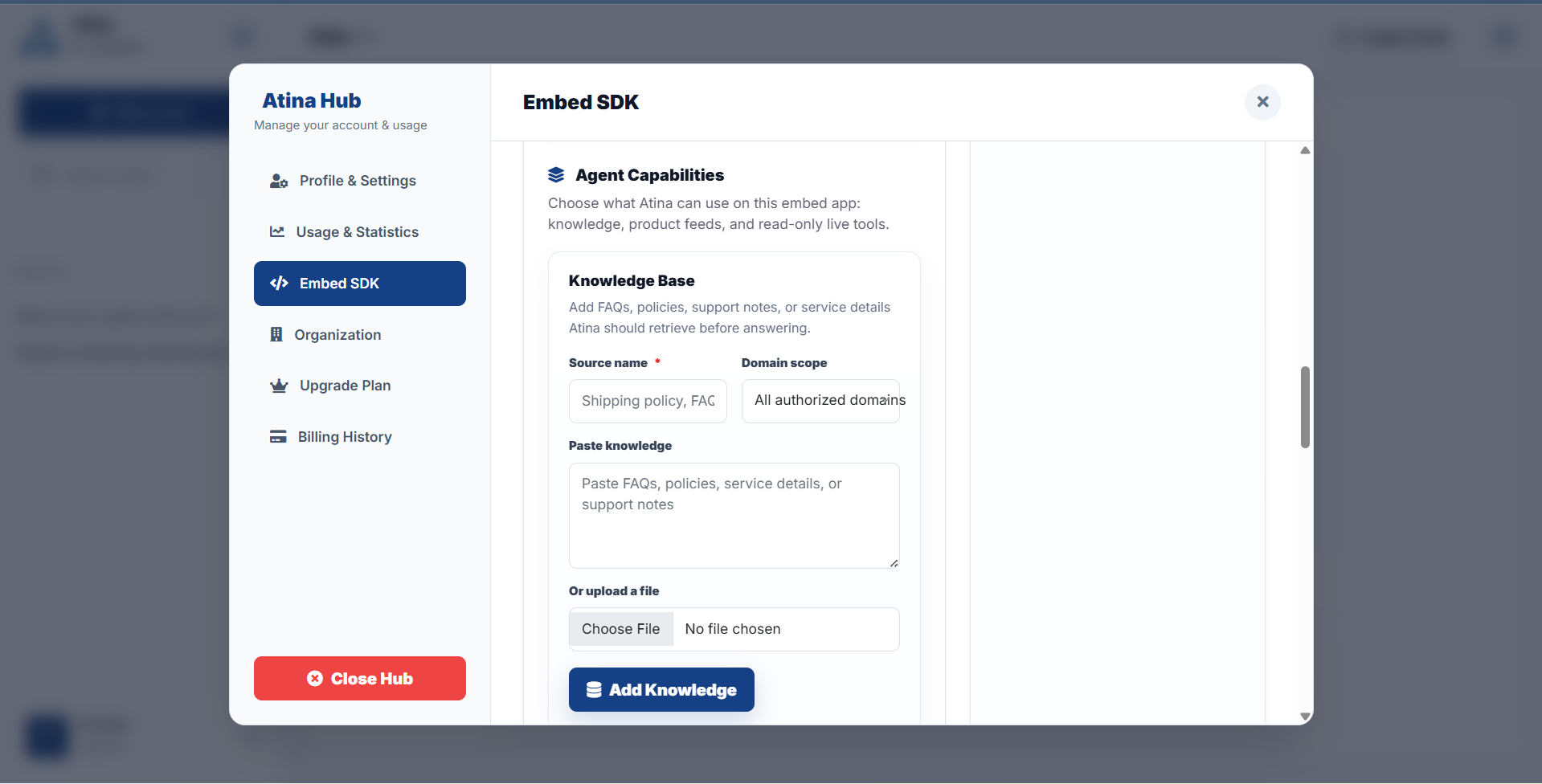
In the capabilities area, choose what Atina is allowed to use for this embed app: - Click Add Knowledge for FAQs, support notes, policy text, documentation, or a small supported file. - Click Add Feed for an HTTPS JSON product or plan feed that Atina can search and cite with direct links. - Click Add Tool for a read-only HTTPS GET endpoint such as order tracking, shipment status, appointment check, account status, or transaction lookup. - Use Save Escalation to define human handoff behavior by message, phone, WhatsApp, or a ticket API route. Only configure capabilities the assistant should actually use on that website.Step 5: Install The SDK
Still in the Embed SDK tab, use the quick snippet card or open Atina Embed SDK documentation. The basic installation flow is: - Set `window.ATINA_CONTEXT.public_key` to your copied public key. - Set `mode` to `text` for a compact support chat or `avatar` for the 3D assistant experience. - Load the Atina SDK CSS and JavaScript shown in the docs. - Add the target root element for the mode you want to render. - Test on an authorized domain before shipping to production. The docs also include examples for plain HTML, React, Next.js, Vue, avatar mode, text mode, chat history mounting, mode toggles, latency debug, product feeds, live API tools, and escalation setup.Operational Checklist
Before publishing an embed, confirm that the public key is copied correctly, the exact domain is authorized, the right capabilities are enabled, product feed URLs are HTTPS, live tools are read-only, escalation instructions are accurate, and the conversation answers are tested with real visitor questions.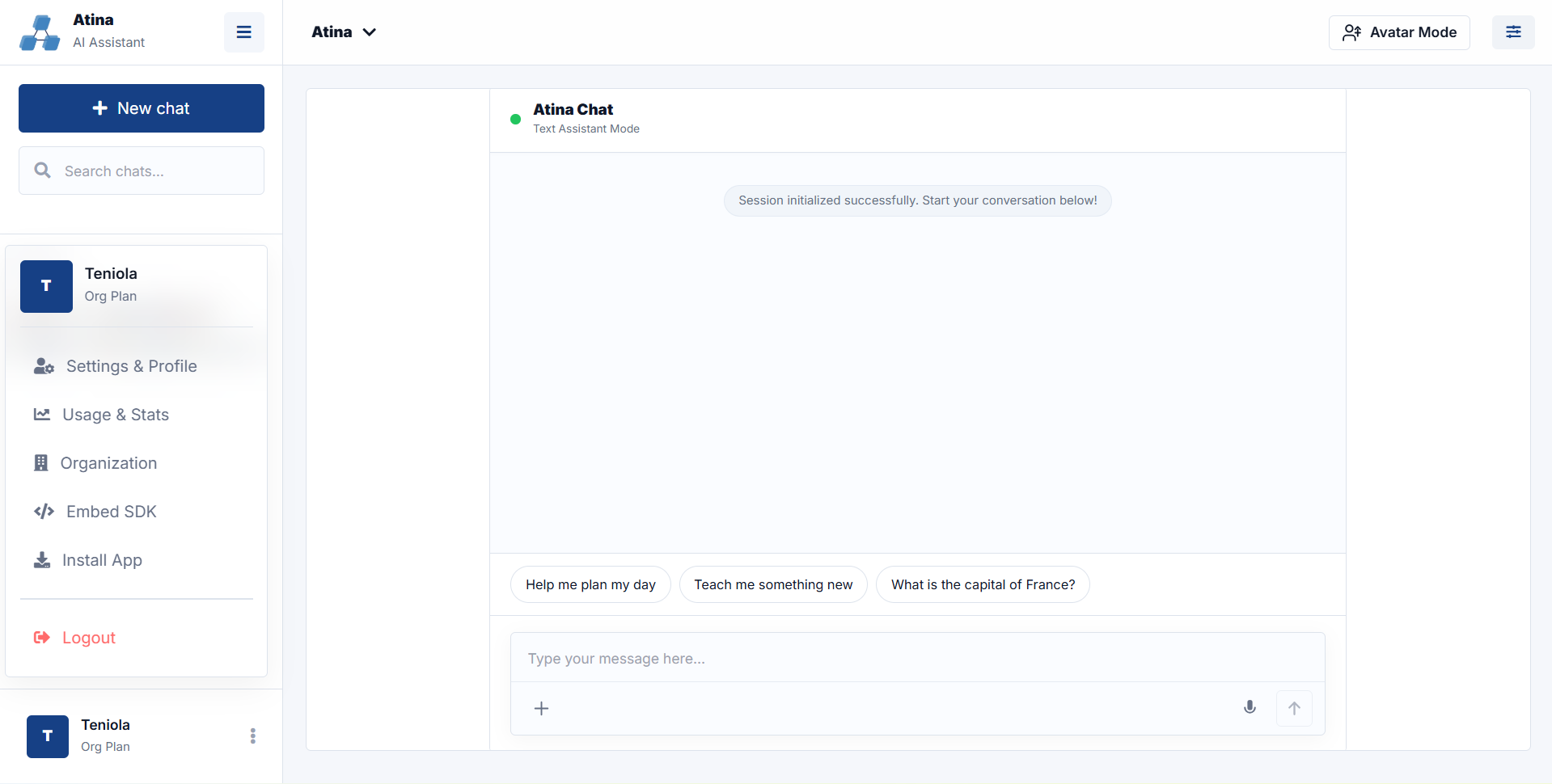
Related
Continue exploring.
Release note: Embedding, Organization AI, and ICL-1
The July 2026 Atina Labs content refresh documents embed setup, organization training, ICL-1 routing, embedded RAG architecture, infrastructure capacity, and a latency-based speech decision.
Atina AI assistant infrastructure
A public overview of Atina platform capacity: chat, embed, organization training, knowledge workflows, capability routing, usage controls, analytics, support, and avatar experiences.
Embedded agent RAG architecture
The upgraded Atina Embed architecture: domain context, ICL-1 routing, knowledge retrieval, product feed search, read-only live tools, escalation, response generation, and analytics.