Plan
Org
Input files
DOCX / TXT
Main route
/org
Org plan user
-> /org/create
-> Organization workspace
-> Members and roles
-> Knowledge upload (DOCX/TXT)
-> Chunking and access controls
-> Generate training module
-> Learning sessions and Q&A
-> Reports and limits
What It Is
Organization AI is the private training workspace for teams. It is separate from the normal chat page and separate from website embed knowledge. A company can upload approved handbooks, process documents, SOPs, internal guides, or team manuals, then let Atina convert that material into searchable knowledge and guided training lessons.Plan Requirement
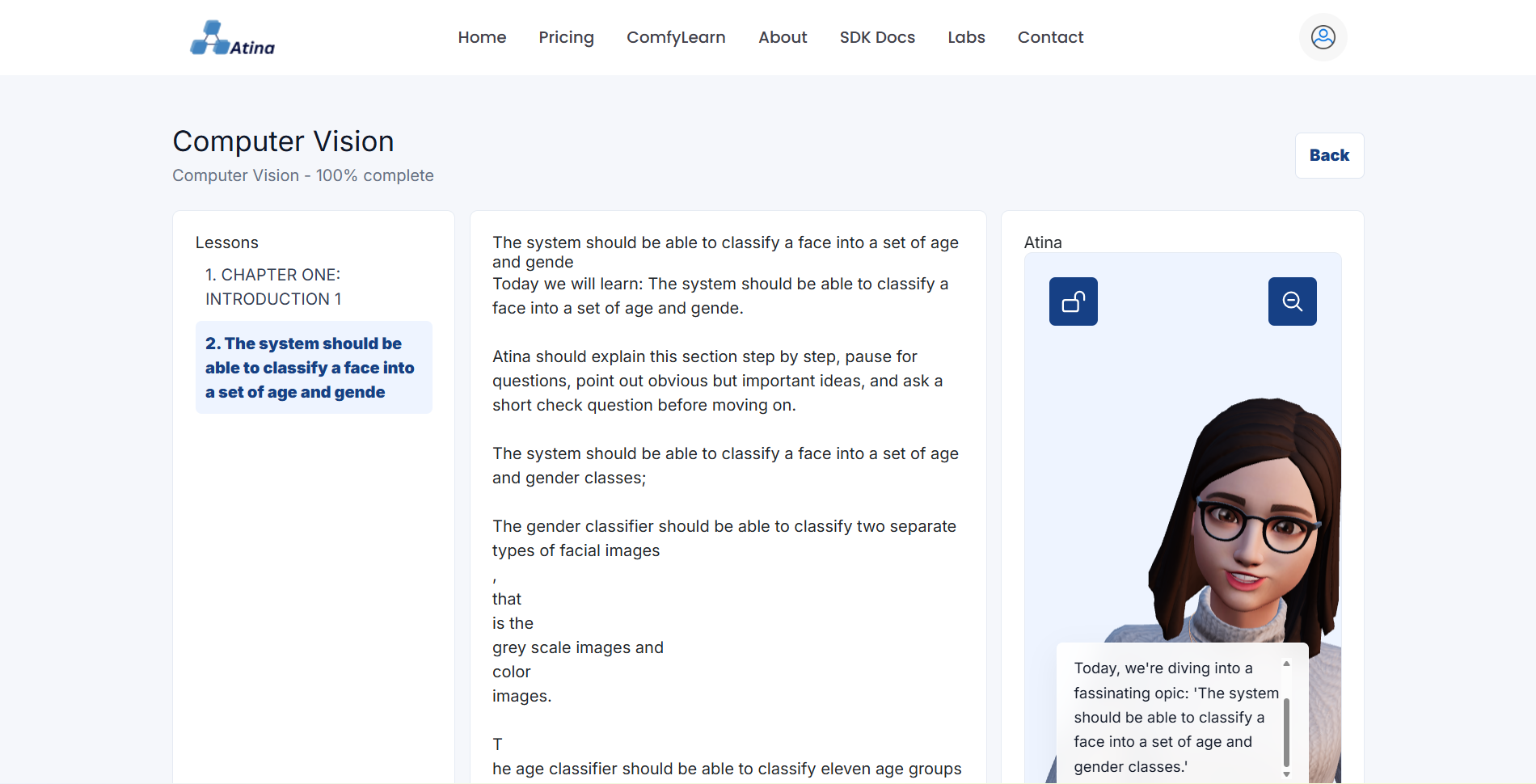
Creating an organization requires an organization-ready plan. On the current platform, Org plans are marked as organization-ready and unlock organization creation, member invites, organization knowledge bases, training modules, learning sessions, access control, usage limits, and reports. Open Pricing and choose an organization-ready plan if Organization Dashboard redirects you to pricing.Step 1: Open The Organization Workspace
After signing in, open Organization Dashboard. If you are on an Org plan and have not created a workspace yet, Atina sends you to Create Organization. Add the organization name, type, website, and a short description of what your team will use training for, then click Create organization.Step 2: Add Members
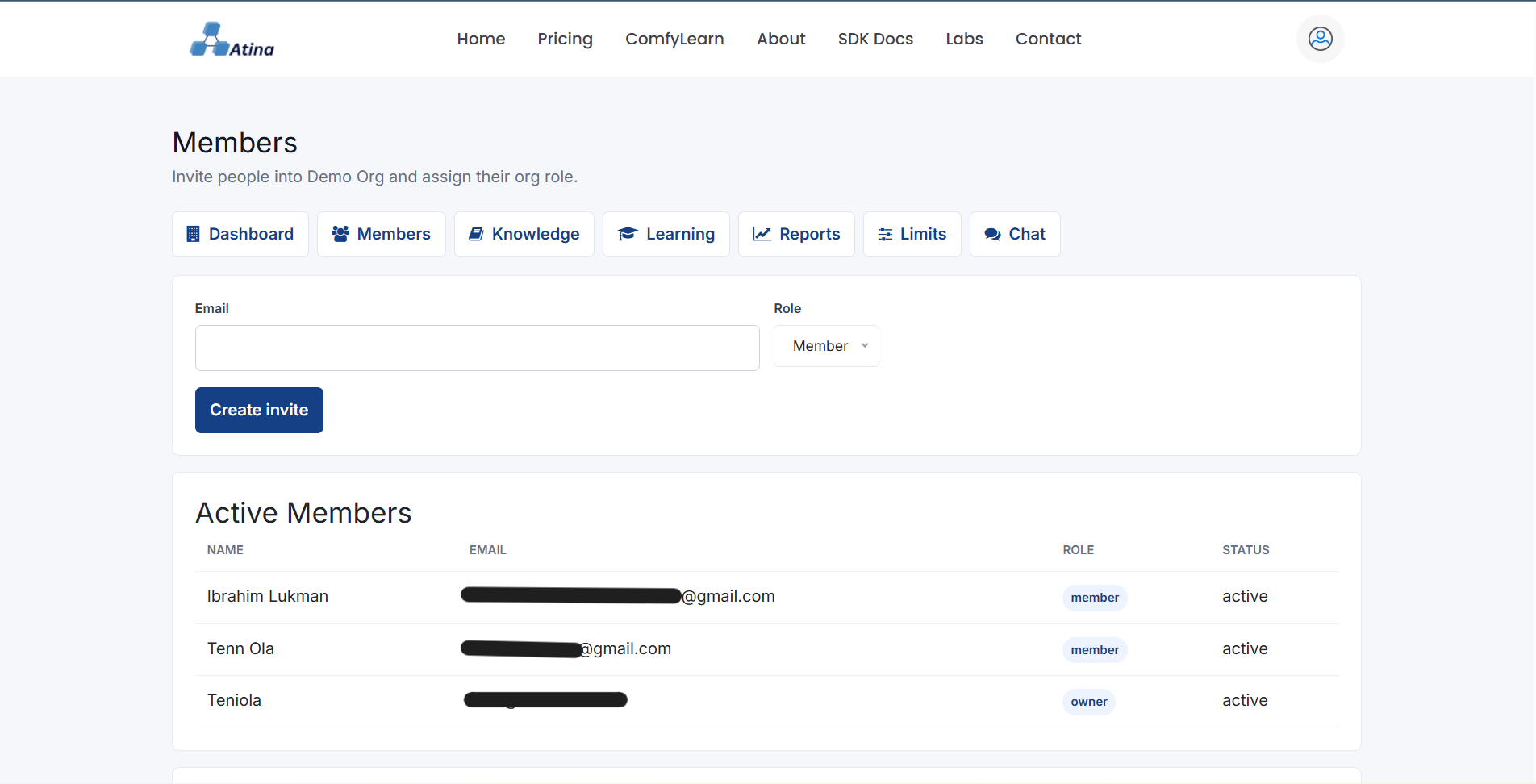
Owners and admins can open Members from the organization navigation. Invite teammates by email and assign an org role: admin, trainer, or member. Owners and admins manage the workspace; trainers can upload and generate training content; members can learn from the modules they are allowed to access.Step 3: Upload Company Knowledge
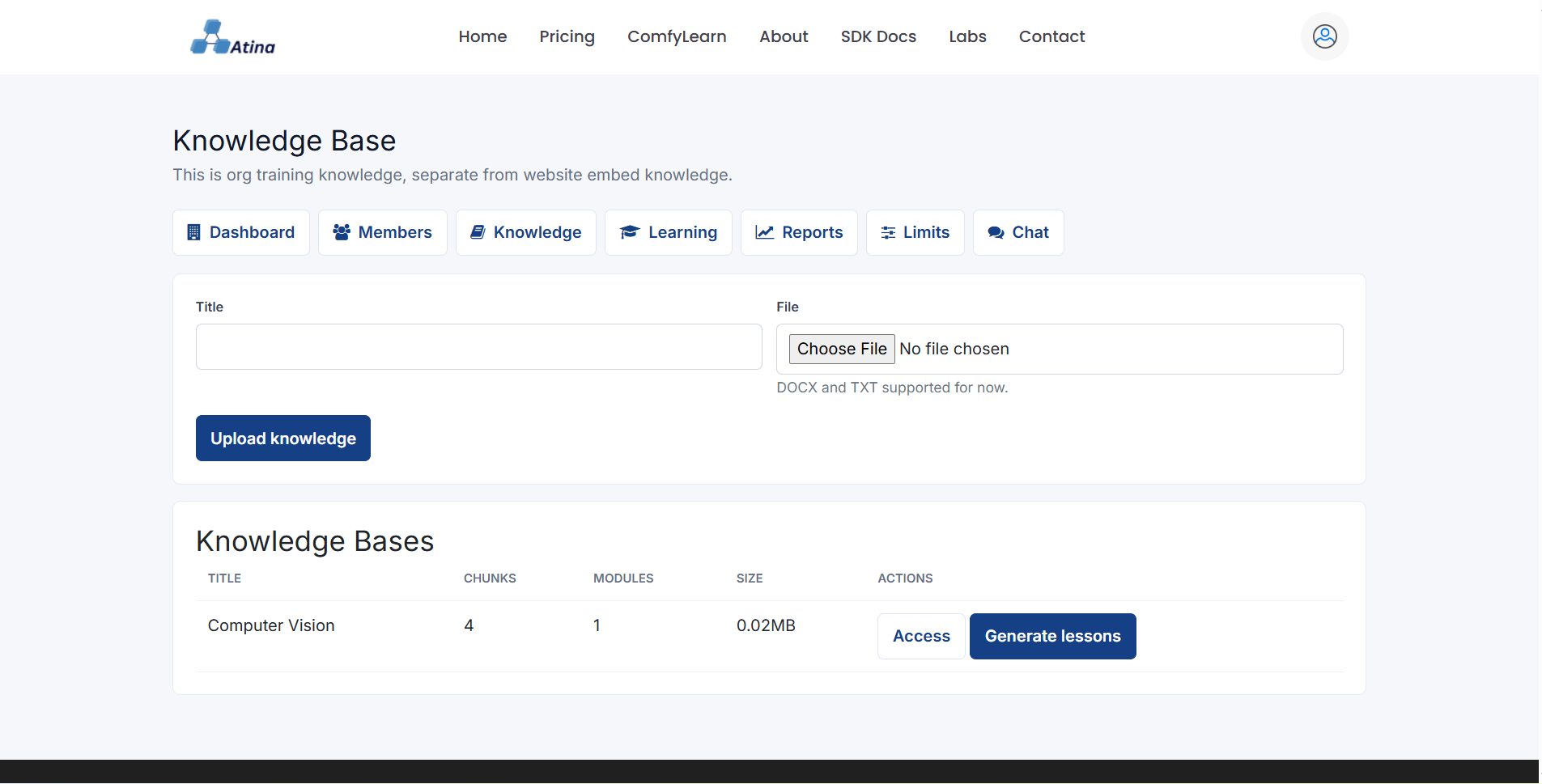
Open Organization Knowledge, also shown as Knowledge in the organization navigation. Upload a DOCX or TXT file and give it a clear title, such as `Support Handbook`, `Sales Onboarding`, or `Operations SOP`. Atina stores the file as an organization knowledge base and chunks it for retrieval.Step 4: Generate Lessons
After upload, click Generate lessons beside the knowledge base. Atina builds a training module from the source material. Use Access to decide which roles or individual members can learn from that knowledge base.Step 5: Learn And Ask Questions
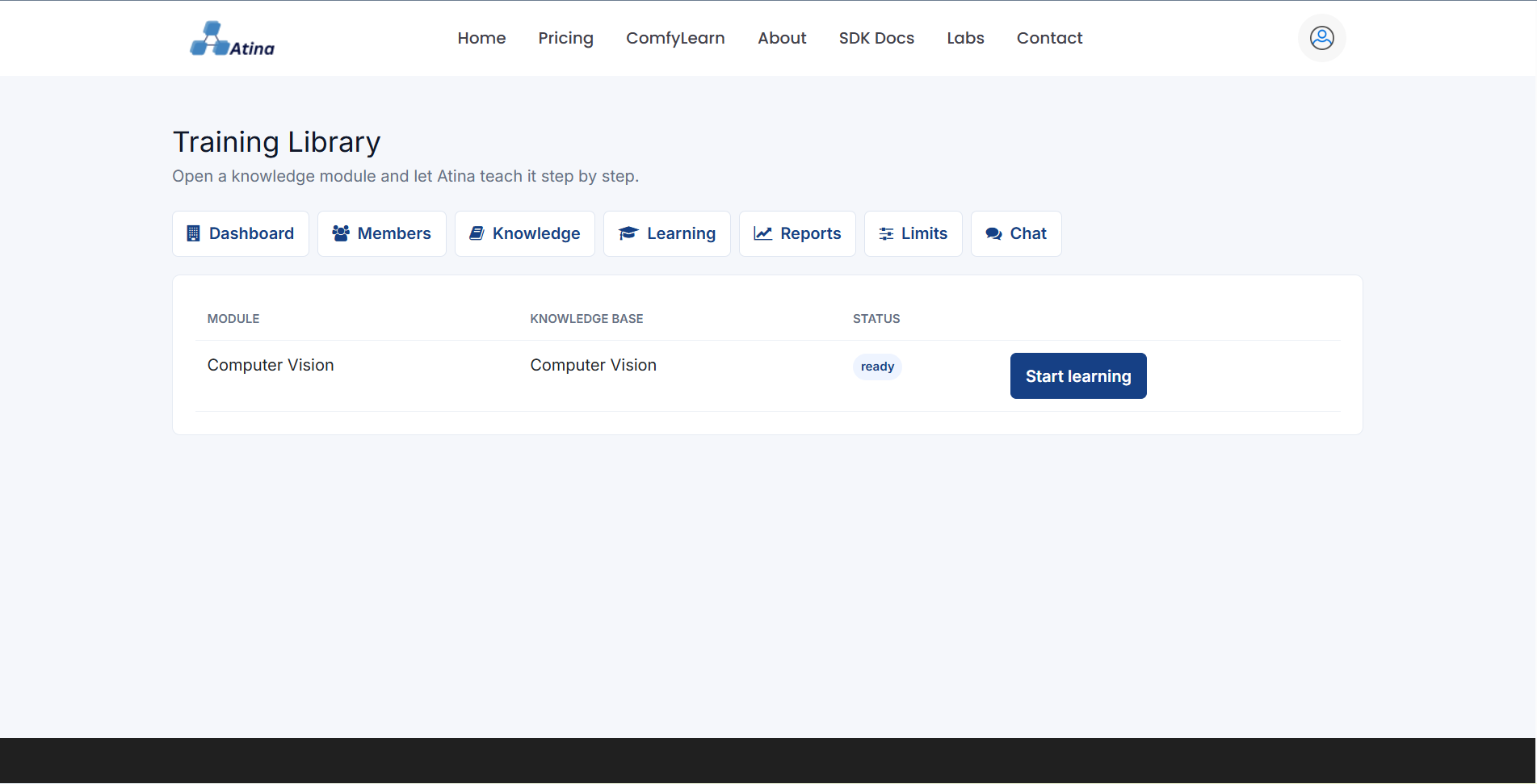
Learners open Organization Learning, select an available module, move through lessons, ask lesson-specific questions, complete lessons, or skip sections when permitted. Atina answers from the current lesson context and keeps progress tied to the organization.Step 6: Review Progress
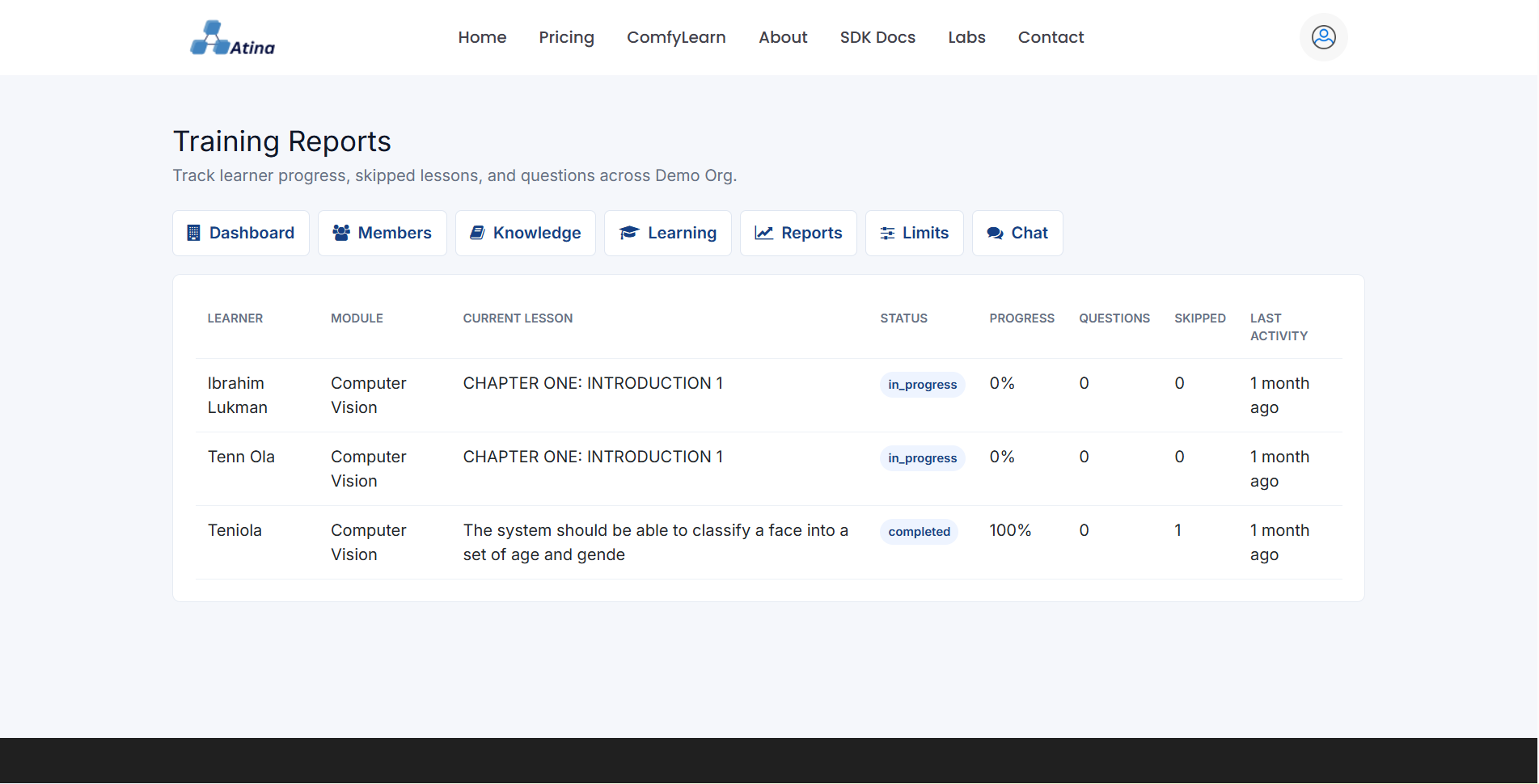
Owners, admins, and trainers can open Organization Reports to inspect learner progress, skipped lessons, and questions. Managers can open Organization Limits to see plan limits for members, knowledge bases, storage, and training modules.Best Uses
Organization AI works best for onboarding, product training, policy education, compliance refreshers, internal operations, support playbooks, and any repeated knowledge that employees usually ask senior staff to explain. Keep uploads approved and current; remove outdated handbooks before generating new lessons from them.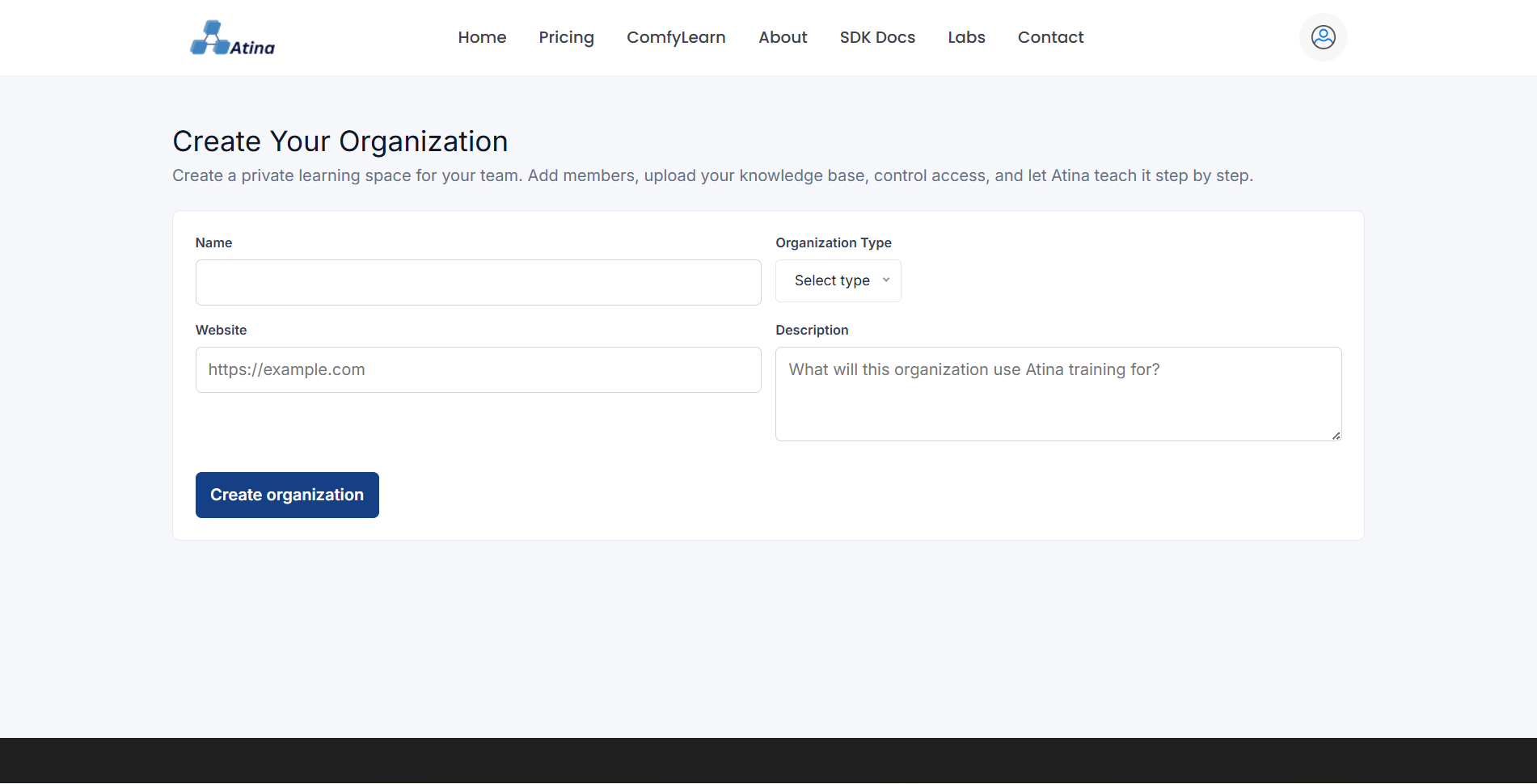
Related
Continue exploring.
Release note: Embedding, Organization AI, and ICL-1
The July 2026 Atina Labs content refresh documents embed setup, organization training, ICL-1 routing, embedded RAG architecture, infrastructure capacity, and a latency-based speech decision.
Atina AI assistant infrastructure
A public overview of Atina platform capacity: chat, embed, organization training, knowledge workflows, capability routing, usage controls, analytics, support, and avatar experiences.